

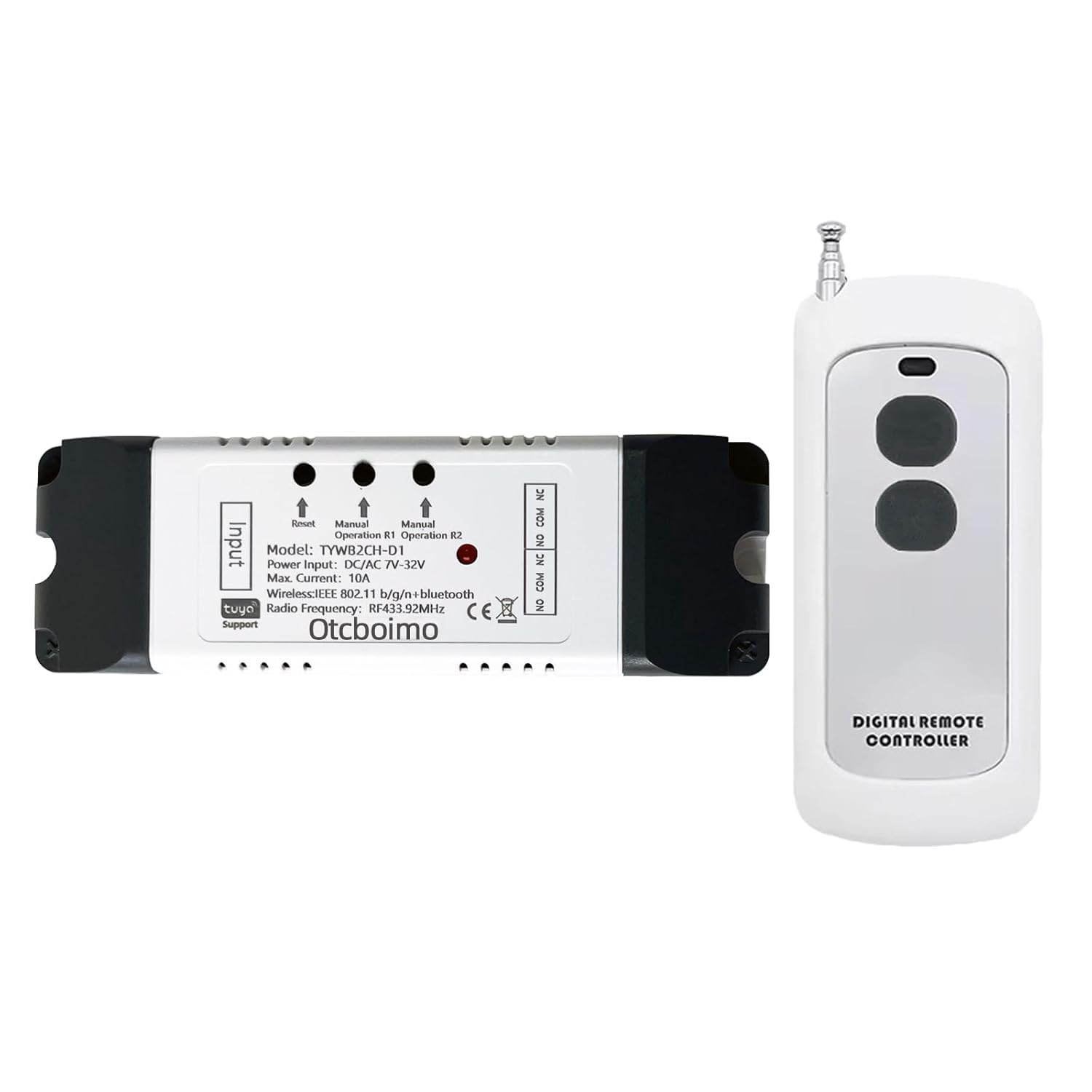



WiFi Smart Linear Actuator Motor Controller, Forward and Reverse Relay
- Reversing relay module. Power any commutation motor device and can be used in any application that requires the ability to reverse motion. You can automate electric linear actuator, roller blind, Shutter, Control DC motor and AC motor forward and Reverse.
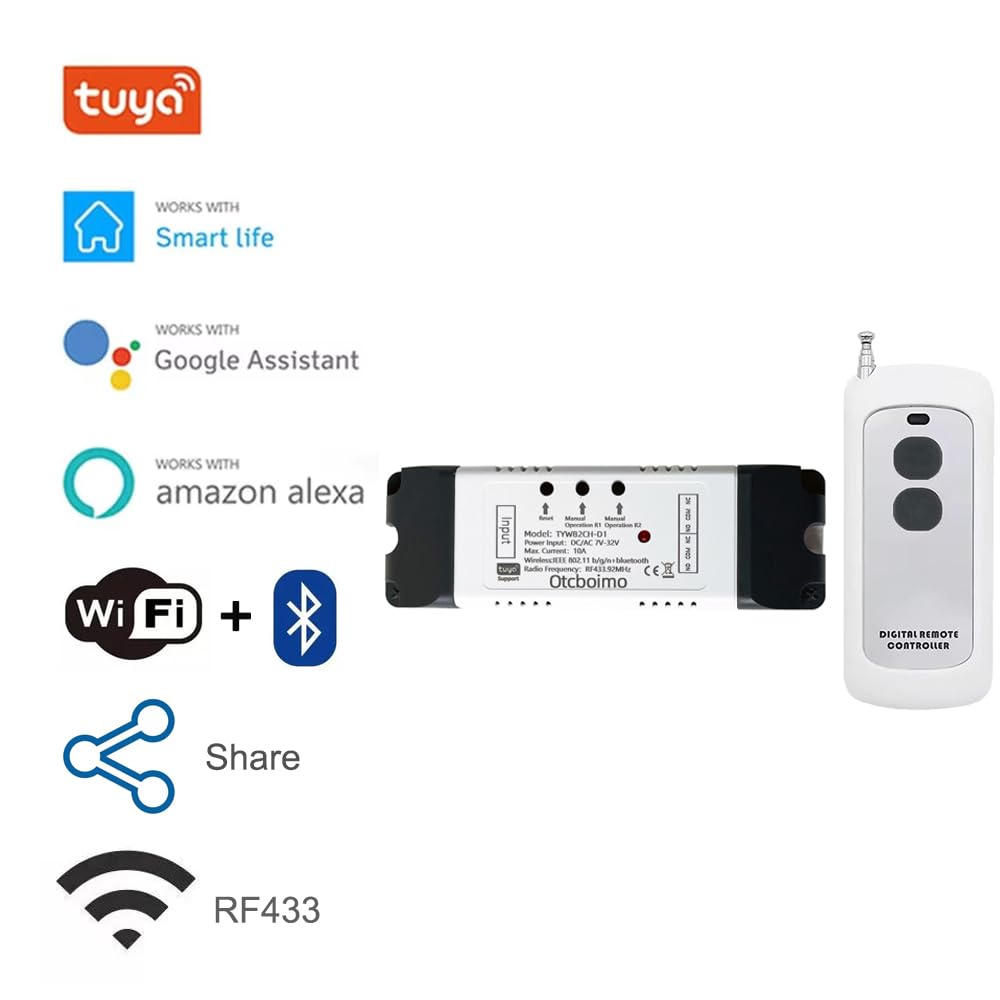
- The switch has keys R1, R2 and does not support external switches. It supports RF433 remote control, mobile phone Tuya APP control, and manual button control.
- You need to set the 2-way interlock mode in the APP firstly. For the first use case, press the R1 button, the motor rotates, and press the R1 button again to stop. Press the R2 button to change the direction and rotate, and press the R2 button again to rotate and stop. In the second use case, press the R1 button and the motor rotates, and press the R2 button and the motor changes direction and rotates.
- You can also set the jog time for the 2-way relay from 1 to 3600 seconds; assuming the jog time is set to 5 seconds, it will automatically stop after pressing the R1 button for 5 seconds. The jog time of the two relays can be set differently.
- Timing and Sharing - you can set timer schedules to automatically turn on/off your device according to your daily habits.You can share the conrtol to you family, make your home smarter, whole family can control home appliances through Tuya app It works from anywhere you have internet connection.
-
Save 10% when you buy two or more items.
-
Get 5% off your next purchase.
-
Enjoy free delivery on orders above $200.
-
Orders are processed and shipped from Canberra


3-6 days (Domestic)



Confidence-backed purchases with 30-day return support.

AUD |
BRSRAAT4OAFAADT3 |
Category |
Power Transmission Products , Linear Motion Products , Linear Motion Actuators |
Tags |
Estimated shipping
Select a product to estimate shipping.How to make a linear actuator remotely controllable?
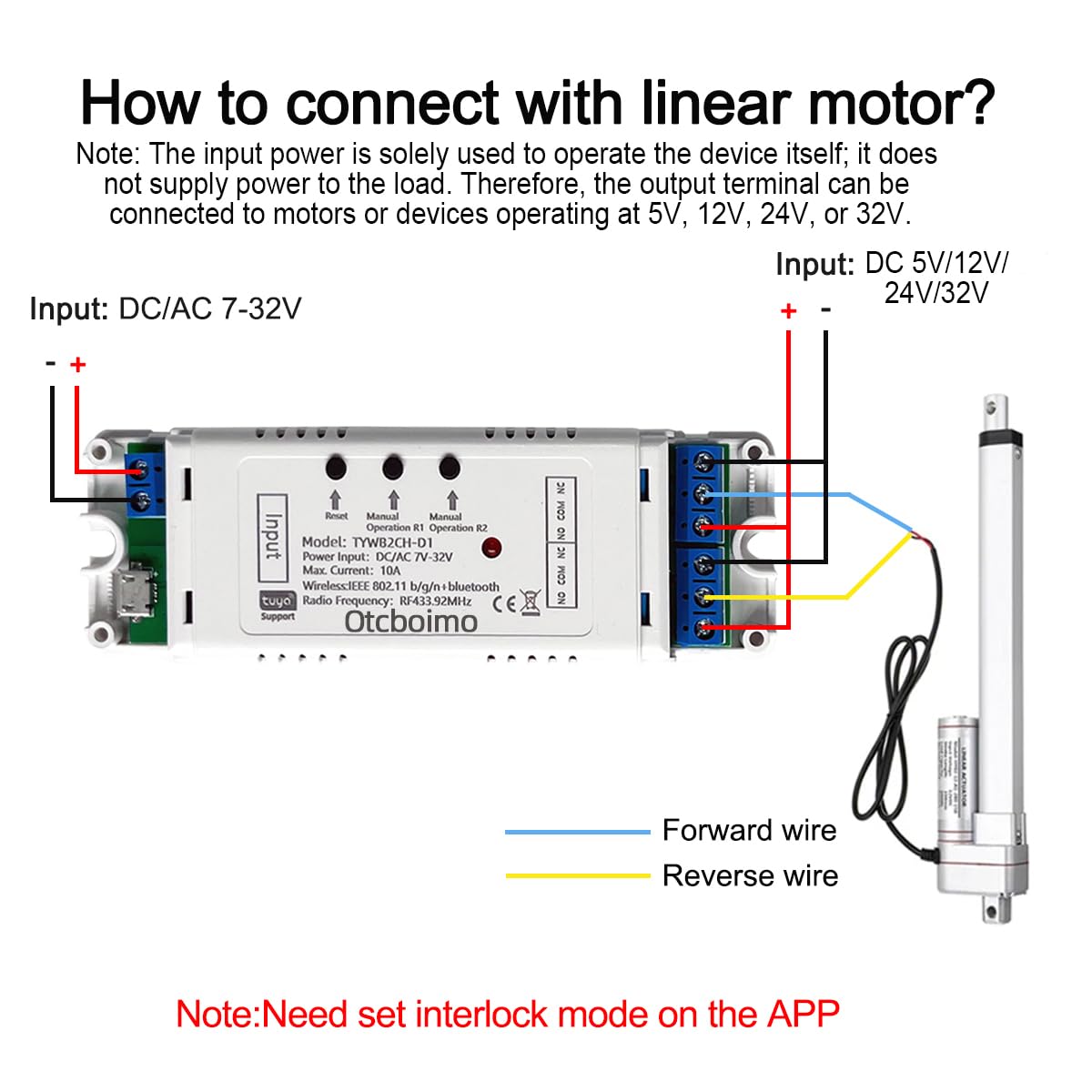
Supply power to the 2ch wifi smart switch with DC 5V or DC 7-32V. Since this controller does not output electricity but only outputs signals, electricity still needs to be input at the output end to enable the linear actuator to work.
Pair it with the Smart Life APP.
Set Channel 1 and Channel 2 as interlocked in the APP, so that Channel 1 and Channel 2 respectively control the forward rotation and the reverse rotation.
If you need to set the running time for the forward rotation and the reverse rotation, set the jogging time to be between 1 and 3600 seconds, and the interval time is 1 second.
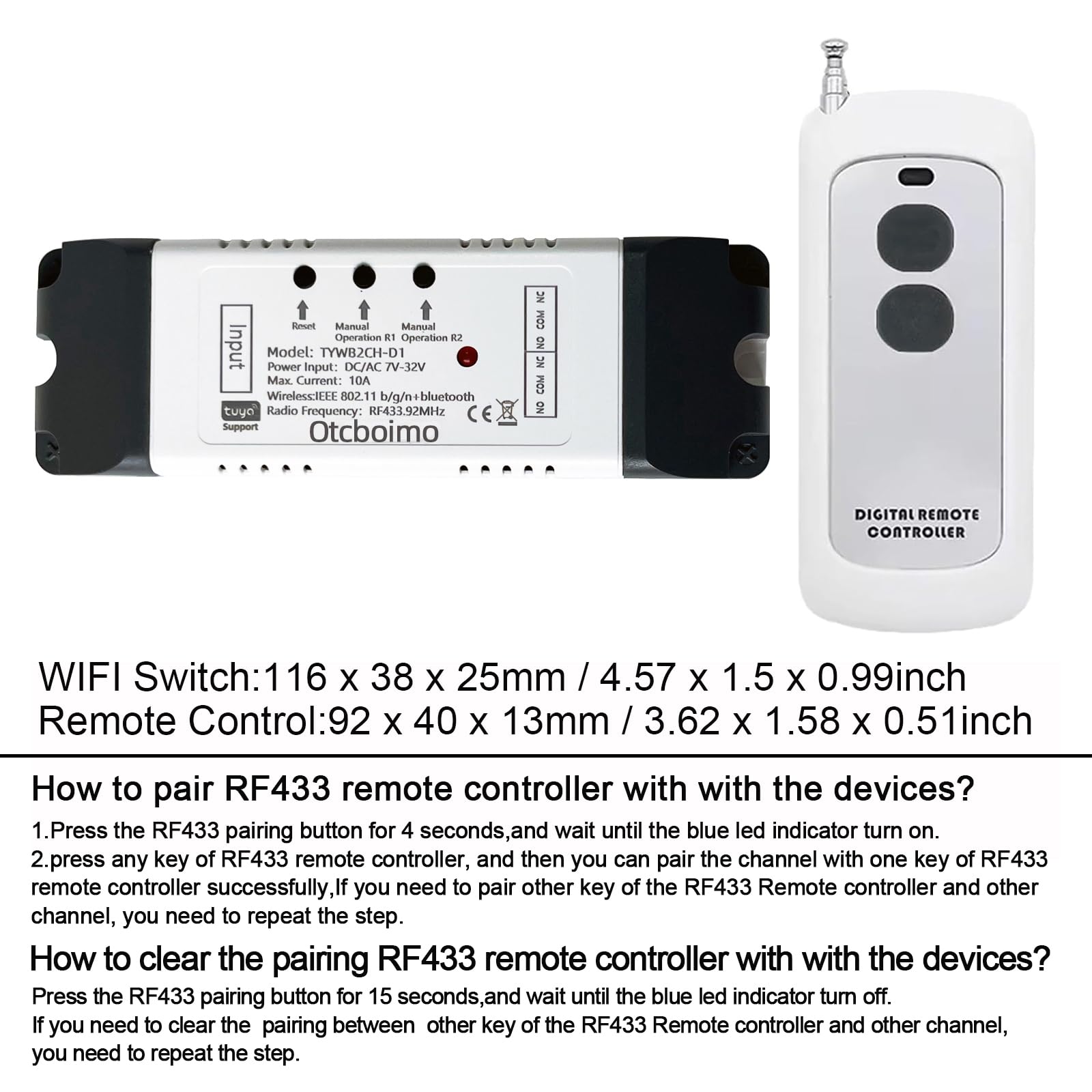
How to pair RF433 remote controller with with the devices?
Press the operation 1 or operation 2 for 4 seconds,and wait until the blue led indicator turn on.
long press any key of RF433 remote controller, loosen the remote control button,matching success. Match other button,repeat the step.
How to clear the pairing RF433 remote controller with with the devices?
Press the RF433 pairing button for15 seconds,and wait until the blue led indicator turn off. If you need to clear the pairing between other key of the RF433 Remote controller and other channel, you need to repeat the step.
Wiring Instructions
Power Supply: Use DC/AC 7–32V or USB 5V (choose one)
Function: This is a dry contact relay switch — it does not output any voltage on the control side.
You can connect the output (control circuit) to either: DC 0–30V, up to 10A , or AC 90–250V, up to 10A .
The relay can be wired as: NO & COM for normally open operation, or NC & COM for normally closed operation.
Functions:
Remote On/Off: Turn on/off electrical devices from anywhere.
App Support: Free iOS and Android mobile app Smart Life.
Timing: Set schedules to turn on/off at specified times.
Shared Control: Control your smart home together with your family.
Scenarios: Set up automation to turn on devices.
Quick to Access 3 Working Modes
Self-locking mode
Self-lock mode: Works like a regular switch — press once to turn ON and stay on, press again to turn OFF .
The device works in self-locking mode by default.
Inching(jog) mode
Inching mode: Turns ON when activated, then automatically turns OFF after the set time (1–3600 seconds)
How to set the jog/inching time?
Open the device control page in the Smart Life app .
Go to Timer → Inching .
Select the desired time (from 1 to 3600 seconds ). Time unit: seconds (1s).
Tap Save to confirm.
Interlock mode
Interlocking mode : Switch on any channel , other channels will be switched off automatically.
How to set the Interlocking mode?
Go to Setting →interlock setting
Click "Add" , then select Switch 1 and Switch 2 , and finally click Save .
How to pair it with smart phone?
Search for "Smart Life" in the APP Store or , then download and install it.
Register an account.
Turn on the Bluetooth of your mobile phone and select the 2.4G WiFi frequency band.
Power on the device. The device will automatically enter the network configuration mode (the indicator light flashes blinks(blink twice a second). If not, please press and hold the reset button for 5-7 seconds).
Method 1: Bluetooth mode:
Click "+" to add a device. The device will be automatically detected. Then click "Add", enter the WiFi password, click "Next", and and wait for the connection.
Method 2: WiFi Mode
Click "+", select "Electrical" - "breaker (BLE+WiFi)", click the upper right corner, select "WiFi mode", then click "Next", "Next","Next",select "Blink Quickly", click "x", enter the password, and wait for the connection.
QA
Q: Why did my device fail to pair?
A:
The device may not be in pairing mode.
Your Wi-Fi name or password may contain special characters (such as @, #, &, *).
MAC address filtering might be enabled on your router.
Test Tip:Use two phones — one to create a Wi-Fi hotspot and the other to pair the device.If pairing succeeds, the issue is likely with your router settings.
Q: Does the device support 5GHz Wi-Fi?
A: No, it only supports 2.4GHz Wi-Fi. If your router uses dual-band (2.4G + 5G) combined , please go to your router settings, separate the two networks , and set different passwords for each.
Product details


| Main Specification | |
|---|---|
| Manufacturer | Otcboimo |
| Brand | Otcboimo |
| Product Dimensions | 4.76 x 1.57 x 1.06 inches |
| Item Weight | 5 ounces |
| Product information | |
| Batteries | 1 12v Batteries Required. (Included) |
| Others | |
| Date First Available | 2025 or April 20 |
| Product Type | Linear Motion Actuators |
Shipping & Delivery
At GofinchKart Australia, we aim to deliver your order quickly and safely.
Domestic Shipping (Australia):
Orders are typically delivered within 3–7 business days.
International Shipping:
Estimated delivery time is 12–26 business days, depending on the destination and customs processing.
Once your order has been dispatched, you will receive a tracking number. Delivery times may vary during public holidays or due to unforeseen delays.