



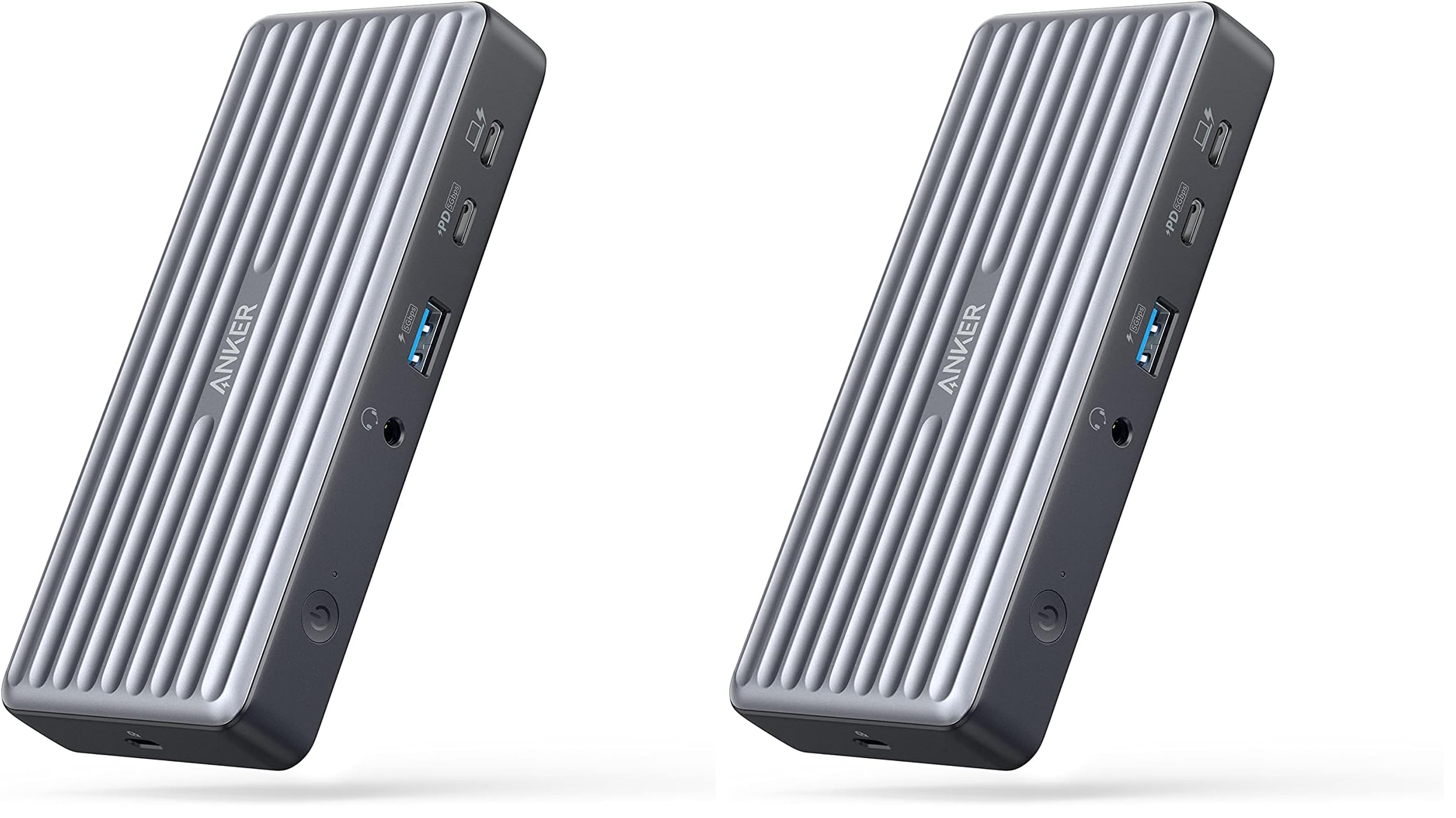
Anker USB C Docking Station, PowerExpand 9-in-1 USB-C PD Dock, 60W Charging for Laptop, 20W Power Delivery Charging, 4K HDMI and DisplayPort, USB3.0&USB2.0 Data, Gigabit Ethernet, 3.5 mm Audio
-
Save 10% when you buy two or more items.
-
Get 5% off your next purchase.
-
Enjoy free delivery on orders above $200.
-
Orders are processed and shipped from Canberra


3-6 days (Domestic)



Confidence-backed purchases with 30-day return support.

AUD |
BRSW2ZYQBAMBMELA |
Category |
Computers & Accessories , Laptop Accessories , Docking Stations |
Tags |
Estimated shipping
Select a product to estimate shipping.Model Number: A8394
PowerExpand 9-in-1 USB-C PD Dock
The 9-in-1 Docking Station with Dual Display Support
What’s in The Box:
PowerExpand 9-in-1 USB-C PD Dock, 100W power adapter, 1.2 m power cord, 1 m USB 3.1 Gen 2 USB-C to C cable, welcome guide.
Dimensions and Weight:
Height: 145mm / 5.7 in
Width: 65 mm / 2.5 in
Depth: 24mm / 1.0 in
Weight: 188 g / 6.64 oz
Notes:
The connected laptop must support Power Delivery and DisplayPort Alt Mode via the USB-C port.
To support single 4K@60Hz or dual 4K@30Hz display, your laptop must support DisplayPort 1.4.
macOS only supports Single-Stream Transport (SST), and doesn't support Multi-Stream Transport (MST).
Increase Your Port Options
Transform just one of your laptop’s USB-C ports into a total of 9 ports, with enough functionality to connect multiple monitors, transfer files at high speed, power up your laptop and phone, connect audio devices, and more. Also features a built-in security slot that can be used with a security cable (not included) to protect the dock against theft.
High-Speed Charging
The USB-C upstream port provides enough power to charge an XPS 13 in just over 2.5 hours, while the USB-C Power Delivery port can charge an iPhone 12 in less than 2 hours. The forward-facing USB-A port can also be used to charge smaller devices like smartwatches or headphones.
Upgrade Your Display
Instead of trying to manage all of your apps on a single laptop screen, simply connect to two external monitors via the DisplayPort and the HDMI port to enjoy the convenience of a larger, extended display.
Access Files at Speed
Transfer movies, photos, and music at speeds of up to 5 Gbps via the USB-C Power Delivery port and the USB-A 3.0 data port.
FAQ
Q1: Will this dock work with any laptop? How do I make sure my laptop works with this dock?
A: This dock works with laptops with a USB-C port that supports DisplayPort Alt Mode and Power Delivery. To confirm the USB-C port function of your laptop, consult your user manual or contact your laptop’s manufacturer. If your USB-C port doesn’t support DisplayPort Alt Mode, you won’t receive video output. If your USB-C port doesn’t support Power Delivery, the dock will work correctly with video and data (including audio and Ethernet), but would not be able to supply charging to your laptop.
Q2: Do I need to install any drivers to use this dock?
A: No.
Q3: Can I use my own USB-C cable to connect the dock to my laptop?
A: We recommend that you use the 3.2 ft USB-C cable that comes with the dock, however any other USB-C cable with support for USB 3.1 Gen 2 and 100W Power Delivery should work.
Q4: How many monitors does the dock support and what is the maximum resolution supported?
A: This dock supports connection to two external monitors: 1 via HDMI and 1 via DisplayPort.
Single Monitor Resolution: 4K@60Hz (for DisplayPort 1.4) or 4K@30Hz (for DisplayPort 1.2)
Dual Monitor Resolution: 2 x 4K@30Hz (for DisplayPort 1.4) or 2 x 1080p@60Hz (for DisplayPort 1.2).
macOS only supports Single-Stream Transport (SST), and doesn't support Multi-Stream Transport (MST)
Q5: The charging output of the dock is listed as 60W, which is lower than my laptop charger’s output. Will the dock still be able to power my laptop?
A: This dock supports up to 60W of charging via the USB-C upstream port on the front of the dock (indicated with a computer icon). It will charge slower than your laptop charger, but it will still charge at a relatively high speed.
Q6: How to deal with screen drop, black screen, or screen flickering issues when connecting to an external monitor?
A: After the dock has just been connected to the external monitor, it's normal for there to be some degree of flickering. It should go away in a little while. If you experience any screen issues after waking up your laptop, restart the dock; If your laptop or the docking station has not been shut down for a long time and you’re experiencing screen issues, please restart the dock.
Product details


| Main Specification | |
|---|---|
| Manufacturer | Anker |
| Item Dimensions L x W x H | 19.7"L x 8.1"W x 19.7"H |
| Number of Ports | 3 |
| Brand | Anker |
| UPC | 194644069940 |
| Number of Items | 1 |
| Product Dimensions | 19.7"L x 8.1"W x 19.7"H |
| Compatible Devices | iphone 12 |
| Wattage | 60 Watts |
| Colour | Gray |
| Item Weight | 6.56 ounces |
| Product information | |
| Number of Packs | 1 |
| Total USB Ports | 5 |
| Hardware Interface | USB |
| Item details | |
| Model Number | A8394 |
| Others | |
| Product Type | Docking Stations |
| Mfr Part Number | A83941A1 |
| Total Number of HDMI Ports | 1 |
| Total HDMI Ports | 1 |
Shipping & Delivery
At GofinchKart Australia, we aim to deliver your order quickly and safely.
Domestic Shipping (Australia):
Orders are typically delivered within 3–7 business days.
International Shipping:
Estimated delivery time is 12–26 business days, depending on the destination and customs processing.
Once your order has been dispatched, you will receive a tracking number. Delivery times may vary during public holidays or due to unforeseen delays.