


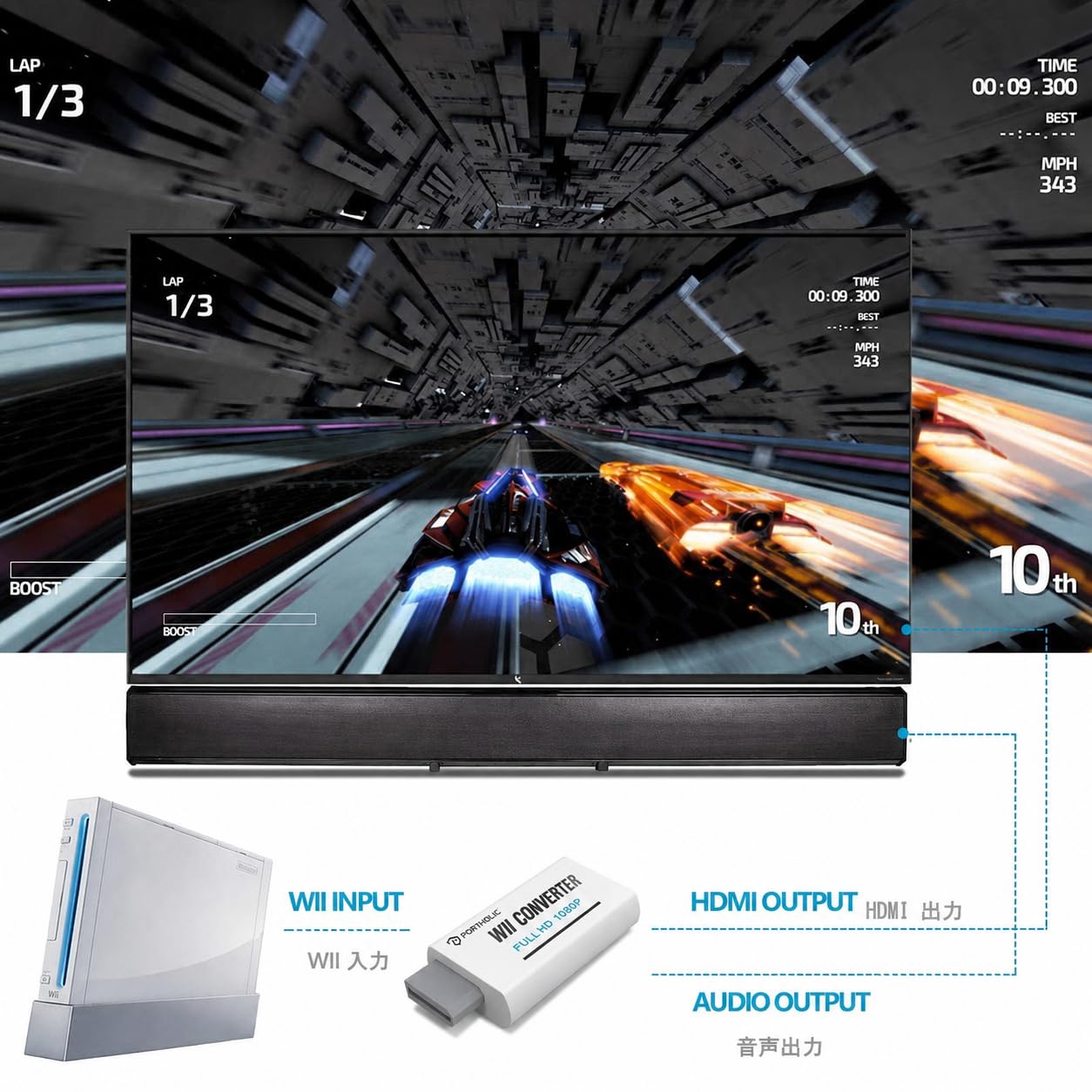



PORTHOLIC Wii to HDMI Converter 1080P for Full HD Device, Wii HDMI Adapter with 3,5mm Audio Jack&HDMI Output Compatible with Wii, Wii U, HDTV, Monitor-Supports All Wii Display Modes 720P, NTS
- Buy with Confidence: If you receive a defective one (like wavy lines, no sound/picture) or you have any problems with the adapter, please contact us in the first place to get efficient customer service for replacement or other assistance.
- NOTE: Some devices’ auto-setting of screen resolution is 480i instead of 480p, which may not support games at 240p/480i over HDMI. If you switch to 480p mode they may work over HDMI. it can't be connected to the switch/splitter, only connect directly to the TV, monitor, projector. This adapter not support for Wii Mini
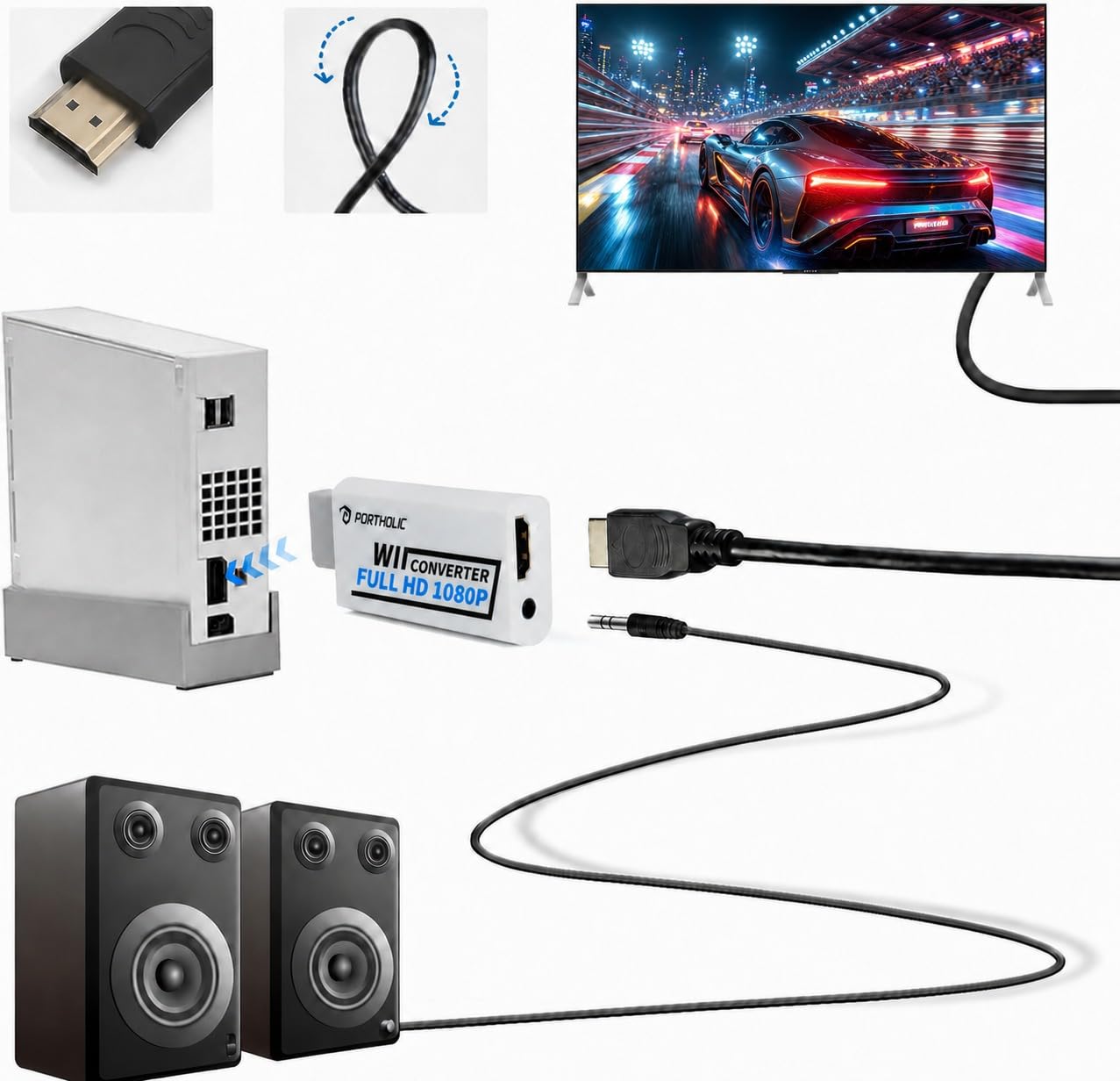
- Extra Audio Jack: Although HDMI output provides audio output, an extra 3.5mm audio jack allows you to connect a speaker or headphone. Even the night owls can enjoy playing in the midnight and no need to worry about disturbing others.
- Plug and Play: Super easy to operate. No setting and no need to install the drivers. Just simply hook it up the Wii and plug the HDMI directly into the monitor and BOOM enjoying the games with optimal viewing.
- Small in Size: PORTHOLIC Wii to HDMI Adapter with size of 6 x 3 x 1.9cm. Small but powerful. It does not occupy any space on your table by hooking up the back of Wii. No more tangling cords, just one cable.
-
Save 10% when you buy two or more items.
-
Get 5% off your next purchase.
-
Enjoy free delivery on orders above $200.
-
Orders are processed and shipped from Canberra


3-6 days (Domestic)



Confidence-backed purchases with 30-day return support.

AUD |
BRSWGZ32AAJWYFDO |
Category |
Legacy Systems , Nintendo Systems , Wii , Accessories , Cables & Adapters , Adapters |
Tags |
Estimated shipping
Select a product to estimate shipping.What should I do if the Wii to HDMI adapter does not work?
First, please make sure your TV/monitor, Wii console, and HDMI cable are all working properly. You can try using another HDMI cable or testing the console with a different screen to check the connection.
If it still does not work?
Please change the Wii video setting to 480p first, then reconnect the adapter and try again.
What should I do if it still does not work after trying these steps?
If the adapter still does not work after checking the HDMI cable, screen, and Wii settings, please contact our team.
Product details


| Main Specification | |
|---|---|
| Specific Uses For Product | Tv or Monitor or Speaker |
| Compatible Devices | Monitor or Projector |
| Connector Type | HDMI or Auxiliary or DVI |
| Manufacturer | PORTHOLIC |
| Unit Count | 1 Count |
| Item Dimensions L x W x H | 2.99 x 1.38 x 0.59 inches |
| Number of Ports | 2 |
| Current Rating | 2 A |
| Brand | PORTHOLIC |
| Number of Items | 1 |
| Colour | White |
| Power Plug Type | No Plug |
| Item Weight | 0.03 kg |
| Product information | |
| Warranty Type | Limited |
| Technical Details | |
| Finish | Matte |
| Item details | |
| Model Number | Wii002 |
| Measurements | |
| Item Dimensions | 2.99 x 1.38 x 0.59 inches |
| Others | |
| Product Type | Adapters |
| Mfr Part Number | wii0102 |
| Package Quantity | 1 |
| Nominal Power | 2 watts |
Shipping & Delivery
At GofinchKart Australia, we aim to deliver your order quickly and safely.
Domestic Shipping (Australia):
Orders are typically delivered within 3–7 business days.
International Shipping:
Estimated delivery time is 12–26 business days, depending on the destination and customs processing.
Once your order has been dispatched, you will receive a tracking number. Delivery times may vary during public holidays or due to unforeseen delays.